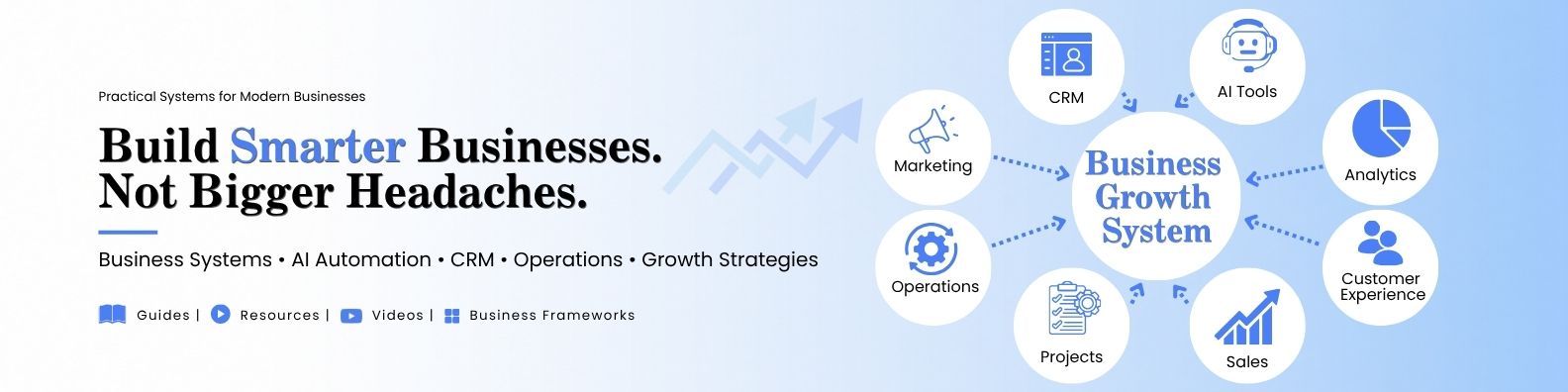
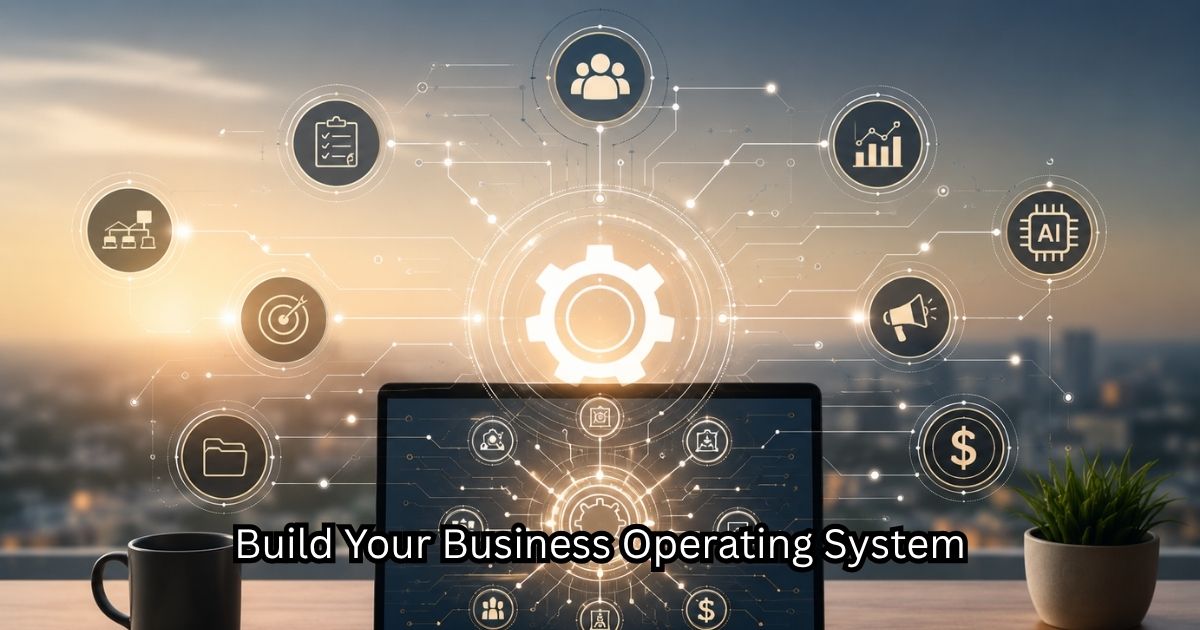
Running a small business today is no longer about having one tool. It is about how your tools work together. Most business owners already use software. A website here. A CRM there. A payment tool somewhere else. But if these tools are not connected, the business becomes fragmented. The Problem With Disconnected Tools When tools don’t communicate, businesses experience: Duplicate work Lost customer data Manual updates everywhere Missed follow-ups Inconsistent customer experience The tools are working. But the system is not. What a “Business Stack” Really Means A business stack is the combination of tools that power your entire operation. But more importantly: It is how those tools interact. A modern stack usually includes: Website platform CRM system Marketing tools Automation layer Communication tools The value is not in the tools themselves. It is in the connections between them. The Core Layers of a Modern Stack 1. Front Layer: Visibility This is where customers find you. Website SEO content Social media presence 2. Capture Layer: Leads & Customers This is where interest is collected. Forms Landing pages CRM systems 3. Execution Layer: Delivery This is where your service or product is delivered. Project tools Workflow systems Task management 4. Automation Layer: Efficiency This is where repetitive tasks are removed. Automated emails Workflow triggers AI support tools 5. Insight Layer: Decisions This is where you understand what is happening. Reports Analytics Customer data tracking Why Integration Matters More Than Tools A powerful tool alone does not fix a broken system. But connected tools create flow. For example: A website captures a lead The CRM stores the information An automation sends a response A workflow assigns a task A report tracks the outcome This is how modern businesses operate efficiently. The Shift in Modern Business Old model: “I need better tools.” New model: “I need better connections between my tools.” That shift changes everything about how a business runs. Final Thought A modern business is not defined by how many tools it uses. It is defined by how well those tools work together. When systems are connected, the business becomes lighter, faster, and easier to manage — even as it grows. GMBS focuses on helping businesses design these connected ecosystems so growth feels structured instead of overwhelming.
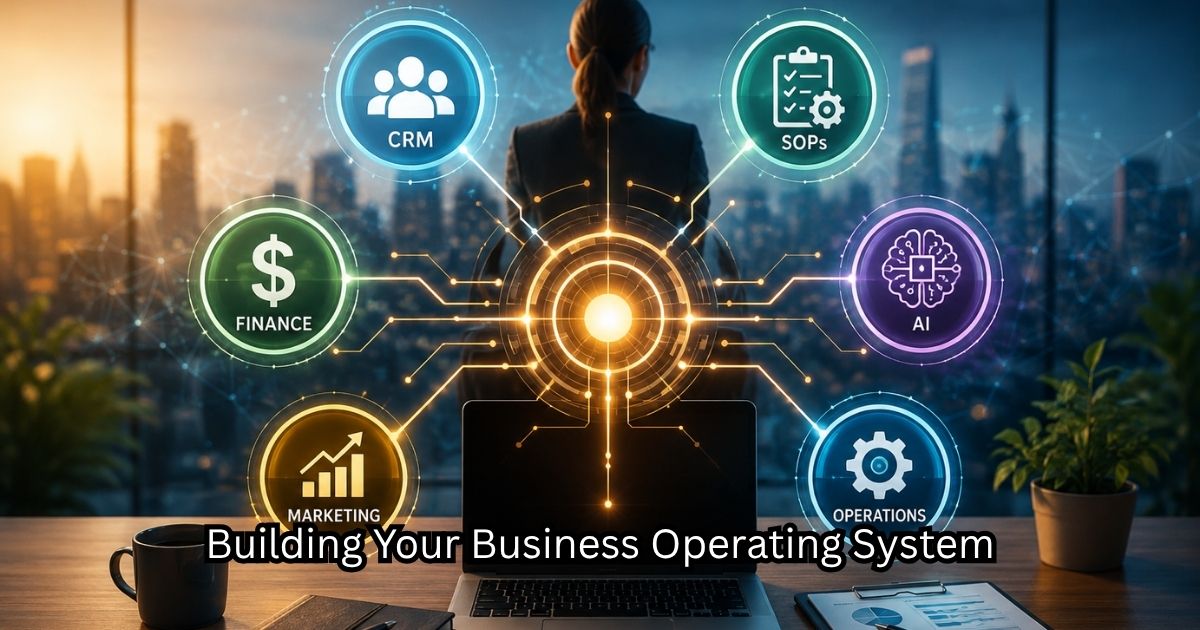
How to Build a Small Business Operating System (Even if You’re a Team of One)
Most small business owners are not struggling because they lack effort. They are struggling because effort is not organized. They stay busy all day, respond to messages, handle clients, fix problems, and move from task to task. But at the end of the week, nothing feels like it actually moved forward. Busyness Is Not the Same as Growth A business can be fully active and still not be growing. This happens when: Work is reactive instead of planned Tasks are repeated manually every day There is no system behind decisions Customer flow is unpredictable Busyness creates motion. Systems create progress. The Hidden Problem: No Operational Structure Most small businesses operate like this: Information stored in different places No clear workflow from lead to customer No standardized process for delivery No visibility on what is working So even when revenue comes in, it feels unstable. Because nothing is structured. Why This Keeps Happening The root issue is not strategy. It is fragmentation. Each part of the business grows separately: Marketing grows in one direction Sales grows in another Operations stay manual Customer management is inconsistent Without connection between these parts, growth becomes harder over time. What Changes Everything Growth becomes easier when the business is built as a system instead of separate activities. That means: Leads flow into one place Customers move through a defined journey Tasks follow repeatable processes Tools are connected instead of isolated At that point, the business stops depending on memory and starts depending on structure. The Shift That Matters Most Most business owners think: “I need to do more to grow.” But the real shift is: “I need to organize what I’m already doing.” Because most of the growth is already happening — it is just not being captured properly. Final Thought A busy business is not a broken business. It is an unstructured one. Once systems are introduced, everything becomes easier to track, manage, and improve. That is where real growth begins — not in more effort, but in better design.
How to Build a Small Business Operating System (Even if You’re a Team of One)
Most small business owners do not actually have a business system. They have: scattered apps, random notes, text messages, disconnected spreadsheets, forgotten follow-ups, and constant mental overload. That may work temporarily. But eventually, lack of systems creates stress, inconsistency, missed opportunities, and burnout. The businesses that scale sustainably usually develop something more important than motivation: An operating system. Not a complicated corporate structure. Just a connected workflow that keeps the business organized and moving. Step 1: Create a Central Hub Every business needs one “source of truth.” Many businesses use: Notion ClickUp Trello This central workspace should contain: Projects Content plans SOPs Lead tracking Tasks Ideas Client notes Step 2: Organize Your Customer Journey Many small businesses lose leads simply because there is no follow-up structure. A simple CRM system can organize: Leads Prospects Clients Follow-ups Sales stages Tools like HubSpot or Zoho help create visibility. Step 3: Automate Repetitive Tasks Automation is one of the biggest advantages available to modern businesses. Examples: Form submission → email response Booking → calendar invite Purchase → customer onboarding email New lead → CRM entry Tools like Zapier help connect systems together. Step 4: Build a Content Engine Content is no longer optional. But content creation becomes easier when systems are in place. A simple structure: Blog post LinkedIn post Instagram carousel Reel/video Email newsletter One idea becomes multiple assets. Step 5: Create Weekly Operational Rhythms Instead of reacting constantly, businesses benefit from recurring review systems. Example: Monday → planning Tuesday → content Wednesday → outreach Thursday → optimization Friday → analytics & finance Simple rhythms reduce mental chaos. Final Thoughts Small businesses often believe they need more people. Sometimes what they really need is: clearer workflows, centralized systems, automation, and operational clarity. The future may belong to businesses that are not just creative — but operationally intelligent.
Online Visibility for Small Businesses (2026 Guide)
How modern small businesses get discovered online without wasting time or money Many small businesses build a website……and then wait for customers to magically appear. Unfortunately, that is rarely how the internet works. A website is only one part of the ecosystem. Businesses also need: visibility, discoverability, and consistent digital presence. The good news is that small businesses today have access to tools that previously only large companies could afford. The challenge is not lack of opportunity. The challenge is creating a practical visibility system that works consistently. This guide explains how small businesses can build online visibility strategically in 2026. What “Online Visibility” Actually Means Online visibility simply means: Potential customers can find your business when searching for solutions. This can happen through: Google search, YouTube, social media, maps listings, email, referrals, and AI-driven discovery systems. The goal is not simply “being online.” The goal is: being discoverable, building trust, and creating consistent inbound opportunities. Step 1: Build Visibility Around Search Intent Most people search online because they are trying to solve a problem. Examples: “best CRM for small business” “how to create a business website” “best accounting software for freelancers” Businesses that create useful content around these searches become discoverable. This is where SEO becomes powerful. Step 2: Understand the Role of SEO SEO (Search Engine Optimization) helps search engines understand: what your website is about, which problems you solve, and which audience you serve. SEO is not about tricking Google. It is about creating: structured, useful, relevant content. The Three Core Parts of SEO 1. Content SEO Publishing useful articles. Examples: guides, tutorials, comparisons, checklists. 2. Technical SEO Ensuring your website: loads quickly, works on mobile, has clean structure. 3. Authority SEO Building trust signals through: backlinks, mentions, consistent publishing. Recommended SEO Tools Tool Best For Semrush Full SEO analysis Ahrefs Keyword & backlink research Ubersuggest Budget-friendly SEO Rank Math On-page SEO Step 3: Use Blogging as a Long-Term Traffic Engine Blogging remains one of the most effective visibility strategies for small businesses. Why? Because every useful article becomes: another searchable page, another entry point, another opportunity to build authority. Best Types of Blog Articles Educational Guides Examples: How to Build a Business Website Beginner CRM Guide Comparison Articles Examples: Shopify vs WordPress HubSpot vs Zoho CRM Checklist Articles Examples: Website Launch Checklist Small Business Setup Checklist Problem-Solving Articles Examples: Why Small Business Websites Don’t Convert Common CRM Mistakes Step 4: Build Visibility Through YouTube YouTube is no longer just a social platform. It is also a search engine. Many people now search YouTube before Google. This creates a major opportunity for small businesses. Why YouTube Works Well for Small Businesses Video helps build: trust, credibility, and human connection. It also allows businesses to: demonstrate tools, explain concepts, and answer questions visually. Recommended YouTube Content Types Tutorials “How to set up a CRM” Tool Comparisons “Shopify vs WordPress” Walkthroughs “How we built a small business workflow” Quick Tips “3 website mistakes small businesses make” Recommended Video Tools Tool Best For Canva Video slides & graphics Pictory Blog-to-video creation CapCut Short-form editing Step 5: Use Social Media Strategically Many businesses waste time posting randomly. A better approach is: educational content, consistent messaging, strategic distribution. The goal is not constant posting. The goal is: visibility, familiarity, and trust. Best Content Types for Small Businesses Content Type Purpose Educational posts Build authority Behind-the-scenes Humanize brand Checklists & tips Shareability Tool recommendations Engagement Short videos Reach Recommended Scheduling Tools Tool Best For Buffer Simple scheduling Hootsuite Larger workflows Later Instagram-first brands Step 6: Build an Email List Early Social platforms change constantly. Email remains one of the few channels businesses truly own. An email list allows businesses to: nurture leads, share updates, promote services, maintain long-term relationships. Ways to Build an Email List Lead Magnets Examples: checklists, templates, free guides. Website Signup Forms Simple newsletter forms. Webinars or Tutorials Educational sessions. Recommended Email Platforms Tool Best For MailerLite Affordable automation Mailchimp Beginner-friendly ConvertKit Creators & funnels Step 7: Use AI to Accelerate Visibility AI dramatically reduces content production time. It can assist with: blog outlines, social media posts, SEO ideas, video scripts, email drafts. Recommended AI Tools Tool Best For ChatGPT Writing & strategy Canva Visual content Jasper Marketing copy The Most Important Principle Online visibility is not built through isolated activities. It works best when everything connects together. Example: Blog Article ↓ YouTube Video ↓ LinkedIn Post ↓ Email Newsletter ↓ Website Traffic ↓ Lead Capture One piece of content becomes multiple visibility assets. Final Thought Many small businesses think visibility requires: large advertising budgets, expensive agencies, or viral social media success. But long-term visibility is usually built differently. It is built through: consistency, useful content, structured systems, and discoverability. The businesses that succeed online over the next decade will not necessarily be the loudest. They will be the ones that become the most useful and easiest to find.
CRM Systems for Small Businesses (Beginner-to-Advanced Guide)
How to organize leads, customers, and business relationships without chaos As small businesses grow, one problem appears almost immediately: Information becomes scattered. Customer conversations live inside email. Leads are forgotten. Follow-ups get delayed. Sales opportunities disappear. At first, this may seem manageable. But eventually, businesses realize they need structure. This is where CRM systems become essential. A CRM (Customer Relationship Management system) helps businesses organize: leads, prospects, clients, communication history, and sales pipelines. More importantly, it becomes the central database of the business ecosystem. Why Small Businesses Need CRM Systems Without a CRM, businesses often rely on: memory, spreadsheets, inboxes, sticky notes, disconnected tools. This creates: missed opportunities, inconsistent communication, poor follow-up, and operational confusion. A CRM provides visibility and structure. What a CRM Actually Does A CRM helps businesses: track potential customers, organize communication, automate follow-ups, monitor sales pipelines, and centralize business data. Think of it as: the operational memory of your business. Typical CRM Workflow Lead Inquiry↓Lead Added to CRM↓Follow-Up Sequence↓Consultation / Proposal↓Customer Conversion↓Ongoing Relationship Tracking Core CRM Categories Most businesses organize contacts into stages. 1. Prospects People who have shown initial interest. Examples: website inquiries, networking contacts, referrals. 2. Leads Qualified opportunities actively considering your services. 3. Clients Current paying customers. 4. Past Clients Customers who may: return, refer others, or purchase additional services. Step 1: Choose the Right CRM Different CRMs fit different business sizes and workflows. CRM Comparison Chart CRM Best For Pros Cons HubSpot Beginners & scaling businesses Excellent UI & automation Paid tiers become expensive Zoho Budget-conscious businesses Large ecosystem UI less polished Pipedrive Sales-focused businesses Simple pipelines Fewer marketing tools Salesforce Larger enterprises Extremely customizable Complex setup Recommended by Business Stage Business Stage Recommended CRM Solo Founder HubSpot Free Small Team HubSpot Starter / Pipedrive Scaling Business Salesforce / HubSpot Pro Step 2: Organize Your Sales Pipeline A sales pipeline helps businesses visualize opportunities. Example pipeline: New Inquiry↓Qualified Lead↓Proposal Sent↓Negotiation↓Won Client This allows businesses to: track progress, forecast revenue, and improve follow-up consistency. Step 3: Automate Follow-Ups Many businesses lose leads simply because nobody follows up consistently. CRM systems can automate: reminder emails, meeting scheduling, follow-up tasks, status updates. Example Automation Workflow Website Form Submitted↓Lead Added to CRM↓Automatic Welcome Email↓Sales Task Created↓Follow-Up Reminder Scheduled This reduces manual work significantly. Step 4: Connect CRM to the Business Ecosystem A CRM works best when connected to: website forms, email marketing, invoicing systems, scheduling tools, automation platforms. Recommended Integrations Function Tool Scheduling Calendly Email Marketing MailerLite Automation Zapier Accounting QuickBooks Step 5: Use CRM Data Strategically CRM systems are not just storage systems. They help businesses analyze: lead sources, sales performance, conversion rates, customer trends. This improves decision-making. Step 6: Avoid Overcomplicating CRM Early One of the biggest mistakes small businesses make is implementing overly complex systems too early. Start simple. Focus on: organized contacts, basic pipelines, follow-up consistency. Complexity can come later. AI + CRM: The Emerging Trend AI is beginning to improve CRM workflows dramatically. AI can help with: summarizing meetings, drafting emails, lead scoring, sales forecasting, customer insights. This allows small businesses to operate more intelligently with smaller teams. Final Thought CRM systems are no longer optional for growing businesses. They are foundational infrastructure. The businesses that grow sustainably are usually not the ones with the most activity. They are the ones with: the best visibility, the clearest systems, and the strongest organization. A CRM helps transform a business from: scattered operations into: structured relationships and scalable growth.
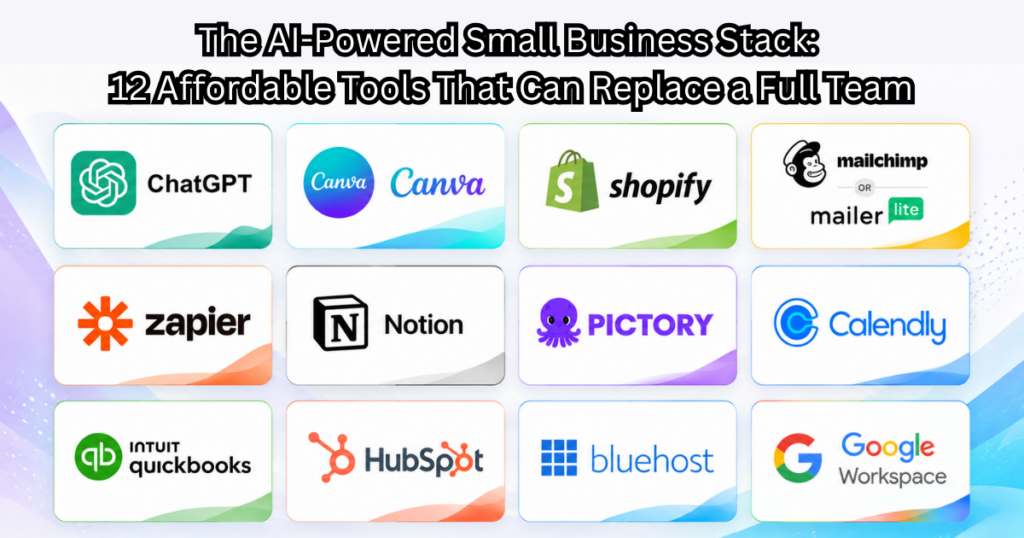
The AI-Powered Small Business Stack: 12 Affordable Tools That Can Replace a Full Team
A few years ago, building a business often required hiring a web developer, graphic designer, copywriter, assistant, customer support team, video editor, and marketing agency — sometimes before the business had even made its first dollar. Today, that reality is changing fast. We are entering a new era of entrepreneurship where a single motivated business owner can operate like a small company using AI-powered tools and cloud systems. The businesses growing the fastest are often not the ones with the biggest teams — but the ones with the best systems. That doesn’t mean AI replaces human creativity or relationships. It means small businesses can finally compete more efficiently. Here are 12 affordable tools that can dramatically streamline operations for startups, creators, consultants, and local businesses. 1. ChatGPT Best for: Writing, brainstorming, research, workflows From blog writing and customer emails to idea generation and process documentation, AI assistants are becoming the “second brain” for small businesses. Use cases: Drafting proposals Writing social media posts Customer support templates Business planning SEO brainstorming 2. Canva Best for: Graphics, presentations, social posts Many small businesses no longer need a full-time graphic designer for day-to-day content creation. Canva allows business owners to: Create social media posts Design presentations Build flyers Create lead magnets Produce quick promotional videos 3. Shopify Best for: Selling products online For businesses selling physical products, Shopify has simplified e-commerce dramatically. What once required developers and technical maintenance can now often be launched in days instead of months. 4. Mailchimp or MailerLite Best for: Email marketing automation Email remains one of the highest ROI marketing channels for small businesses. Modern email tools now include: Automations Landing pages Forms Segmentation AI-assisted writing 5. Zapier Best for: Automation between apps Zapier connects systems together. Example:Website form → CRM → Email sequence → Slack notification → Spreadsheet entry. That kind of automation once required developers. Now it can be built visually. 6. Notion Best for: Internal business organization Think of Notion as a lightweight operating system for your business. Use it for: SOPs Content calendars CRM tracking Team collaboration Project planning 7. Pictory Best for: Turning blogs into videos One of the biggest shifts happening right now is content repurposing. A single blog post can become: YouTube videos Instagram reels LinkedIn posts Email newsletters Pictory helps automate part of that process. 8. Calendly Best for: Appointment scheduling Small businesses lose enormous time going back and forth over scheduling. Calendly automates: Meetings Consultations Discovery calls Follow-ups 9. QuickBooks Best for: Accounting and bookkeeping Even basic financial organization dramatically improves decision-making. Good systems help track: Expenses Invoices Profitability Taxes Cash flow 10. HubSpot Best for: CRM and lead management Many small businesses still lose leads through disorganization. A CRM creates structure around: Leads Follow-ups Client stages Communication history 11. Bluehost Best for: Fast website setup Hosting companies are increasingly integrating AI-powered website setup and support systems, making website launches dramatically easier for non-technical business owners. 12. Google Workspace Best for: Everyday business operations Still one of the most powerful low-cost ecosystems for: Email Docs Sheets Drive Meetings Collaboration Final Thoughts The biggest opportunity today is not simply “using AI.” It is building a connected business system where technology supports clarity, consistency, and execution. Many small business owners still operate with scattered tools, disconnected workflows, and reactive processes. The businesses that grow over the next decade will likely be the ones that combine: Human relationships Clear positioning Operational systems AI-assisted efficiency Not to replace people. But to remove friction.
The 5 Best Corporate Travel Services for 2026
And What Modern Businesses Should Look for Next Corporate travel in 2026 looks very different from even a few years ago. It’s no longer a back-office function focused only on bookings and reimbursements. Today, corporate travel sits at the intersection of finance, risk management, employee experience, sustainability, and data strategy. As hybrid work stabilizes and in-person collaboration becomes more intentional, organizations are rethinking not just how teams travel — but why. The result is a sharper focus on platforms that act as strategic partners, not just transactional travel vendors. Based on market adoption, platform maturity, enterprise trust, and future readiness, here are the five corporate travel services that stand out in 2026 — and why. What Defines a “Best” Corporate Travel Platform in 2026? Leading organizations now expect corporate travel services to deliver across six core dimensions: Unified travel + expense management AI-driven automation and disruption handling Duty of care, compliance, and real-time risk visibility High-quality traveler experience (mobile-first, flexible) Advanced analytics and cost intelligence Built-in sustainability and ESG reporting With these expectations in mind, the following platforms consistently rise to the top. 1. Navan (formerly TripActions) Why it leads in 2026 Navan continues to define the modern, tech-forward corporate travel experience. Its core strength lies in seamlessly combining travel booking, expense management, policy controls, and analytics into a single, unified platform. Key strengths AI-assisted booking and automated policy enforcement Real-time spend visibility for finance teams Strong, intuitive mobile experience for travelers Integrated expense management that reduces leakage and manual work 24/7 global support with rapid rebooking during disruptions Best for Fast-growing companies and global teams that want speed, visibility, and automation without sacrificing financial control. 2. TravelPerk Why it stands out TravelPerk excels at making corporate travel simple, flexible, and employee-friendly — a priority in a hybrid-work world where traveler experience directly impacts adoption. Key strengths Intuitive booking with built-in policy compliance Flexibility features that reduce friction when plans change Strong sustainability tools, including carbon tracking and offsets Transparent pricing and real-time expense integration Reliable 24/7 traveler support Best for Small to mid-sized businesses and international teams that value ease of use and flexibility, alongside strong governance. 3. American Express Global Business Travel Why it remains relevant Amex GBT continues to be a powerhouse for large, complex enterprises with global footprints and strict compliance requirements. Key strengths Deep global supplier relationships and negotiated rates Robust duty-of-care and risk-management infrastructure Full-service support for travel, meetings, and events Enterprise-grade reporting and governance Considerations While extremely powerful, its platforms can feel less intuitive than newer SaaS-first competitors. That said, for scale, risk coverage, and global reach, few match its depth. Best for Large enterprises, regulated industries, and organizations with complex global travel programs. 4. SAP Concur Why it still matters SAP Concur remains a cornerstone for organizations where finance integration, auditability, and ERP alignment are non-negotiable. Key strengths Deep integration with SAP and enterprise finance systems Strong expense reporting, compliance, and audit trails Proven reliability at enterprise scale Considerations User experience and agility may feel more “enterprise legacy” compared to newer platforms, but its financial rigor and control remain unmatched. Best for Finance-led organizations and enterprises already embedded in the SAP ecosystem. 5. BCD Travel Why it belongs on the list BCD Travel continues to be a trusted partner for organizations that need customization, global reach, and human expertise, alongside technology. Key strengths Strong global presence with local market expertise Custom travel programs and supplier negotiations Advanced analytics and reporting capabilities Flexible approach for complex enterprise needs Best for Multinational corporations seeking tailored travel strategies, not just off-the-shelf software. Best for Multinational corporations seeking tailored travel strategies, not just off-the-shelf software. Key Trends Shaping Corporate Travel in 2026 1. AI Is Now Table Stakes AI is no longer a differentiator — it’s an expectation. Leading platforms now use AI for: Proactive rebooking during disruptions Predictive cost insights and spend anomaly detection Personalized travel recommendations 2. Sustainability Has Moved From Feature to Requirement Carbon tracking, emissions reporting, and ESG alignment are increasingly: Board-level expectations Procurement requirements Embedded in vendor scorecards 3. Traveler Well-Being Is a Business Priority Burnout, travel fatigue, and mental health are now recognized as operational risks, pushing companies to choose platforms that reduce friction and stress for employees on the move. How to Choose the Right Platform for Your Organization Rather than asking “Which is the best?”, a better question in 2026 is: Which platform aligns with how our company operates today — and where we’re headed next? Ask: Do we prioritize cost control, traveler experience, or both? How tightly must travel integrate with finance and ERP systems? What level of duty-of-care and global risk coverage do we require? Are sustainability metrics becoming mandatory for us? Can this platform scale as our business evolves? Final Thought The best corporate travel services of 2026 are not just booking tools. They are operational systems that influence cost discipline, employee satisfaction, risk exposure, and even brand values. Organizations that treat travel as a strategic function, rather than an administrative one, will gain a quiet but powerful competitive advantage.
How to Grow a Restaurant: Lessons From Someone Who Has Actually Run One
Owning a restaurant often looks exciting from outside. People imagine creating recipes, greeting happy customers, and watching a packed dining room. The reality usually starts at 6:30 AM. You walk in and immediately see six things competing for attention: One cook called out Produce delivery is late Last night’s sales were lower than expected Someone left a negative review Inventory counts don’t match You need weekend staff coverage Most restaurant owners don’t struggle because of food quality. They struggle because they accidentally become firefighters instead of operators. Restaurants rarely fail because the food is terrible. They fail because the business behind the food becomes chaotic. Year 1 mistake: trying to get “more customers” hen I see struggling local restaurants, the first instinct is almost always: “We need more people.” So they: Buy Facebook ads Run discounts Offer coupons Pay influencers Join every delivery app Traffic increases temporarily. Revenue sometimes increases. Profit often does not. Because the actual issue was usually somewhere else: Tables turning slowly Low repeat visits Weak average ticket size No customer database Poor Google visibility High food waste The question is not: “How do I get more customers?” The question is: “How do I increase customer lifetime value?” A customer visiting 6 times a year instead of once changes everything. Build the Restaurant Growth System Layer 1: Become discoverable locally Most owners underestimate local search. When someone types: “best tacos near me” or “family restaurant near me” Google is often making the decision before customers do. Restaurant checklist: ✓ Complete Google Business profile ✓ Updated menu photos ✓ Weekly photo uploads ✓ Ask for reviews consistently ✓ Website with online ordering ✓ Location-specific keywords Layer 2: Capture customer information Many restaurants unknowingly rent customers. Delivery apps own the customer relationship. You need to own it. Examples: Instead of: “Thanks for ordering” Use: “Join our VIP club and get a free appetizer on your next visit.” Collect: Email Phone number Birthday Favorite items Now you can send: “Your favorite shrimp tacos are back.” or: “Birthday dessert is waiting for you.” Layer 3: Increase average order value Small improvements create large outcomes. Examples: Instead of: Burger = $14 Train staff: “Would you like truffle fries and lemonade with that?” A $3–5 increase multiplied across hundreds of customers matters more than chasing thousands of new visitors. Layer 4: Create predictable operations Restaurants become exhausting when everything lives in the owner’s head. Create systems: Opening checklist Kitchen prep checklist Inventory checklist Cleaning checklist Hiring checklist Training videos Without systems: Owner = bottleneck With systems: Owner = operator Suggested Restaurant Technology Stack Website: WordPress or Shopify POS: Toast or Square CRM: HubSpot Email: Mailchimp Scheduling: Homebase Automation: Zapier AI tools: ChatGPT for promotions Canva for menus AI review-response drafting Social content generation The 12-month roadmap Months 1–3: Fix Google profile, website, reviews Months 4–6: Build customer database Months 7–9: Standardize operations Months 10–12: Introduce automation and loyalty systems The goal is not to build a restaurant that needs you every hour. The goal is to build a restaurant that continues working even when you take a vacation. Because a restaurant should feel like a business. Not a permanent emergency.
How to Grow a Healthcare Practice: It’s Usually Not About Getting More Patients
Most healthcare practices think growth means: More advertising. More patients. More appointment volume. But after watching many practices operate, a different pattern often appears. Patients don’t disappear because treatment was poor. Patients disappear because of friction. Small friction. Appointment scheduling. Long hold times. No reminders. No follow-up. No relationship. Build the Patient Growth System Layer 1: Trust before marketing Patients search: reviews credentials response speed Checklist: ✓ Reviews ✓ Updated website ✓ Staff photos ✓ FAQs ✓ Insurance information ✓ Clear contact options Layer 2: Reduce appointment leakage Automation: Appointment reminders Waitlists Follow-up messaging Missed appointment outreach Layer 3: Build referral systems Create referral relationships: physicians specialists local businesses wellness organizations Layer 4: Patient retention Automate: Annual reminders Preventive checkups Educational newsletters Patient appreciation campaigns Suggested Technology Stack Scheduling: SimplePractice CRM: HubSpot Automation: Zapier Email: Mailchimp AI: ChatGPT 12-Month Healthcare Roadmap Months 1–3 Trust systems Months 4–6 Patient communication systems Months 7–9 Referral systems Months 10–12 Automation
How to Grow a Salon Business: Lessons Beyond Hair, Nails, and Beauty
Running a salon looks glamorous from the outside. Beautiful spaces. Stylists creating transformations. Clients leaving happy. The owner posting photos of packed Saturdays. The reality often feels different. You look at the schedule and think: “Why are we overloaded Friday and Saturday while Tuesday and Wednesday are nearly empty?” You wonder: “Why are some clients loyal for years while others disappear?” Then another challenge appears: A talented stylist leaves and takes clients with them. Many salon owners believe they have a marketing problem. Usually they have a systems problem. Most salons do not fail because they cannot attract people. They struggle because they cannot create predictable repeat behavior. Mistake #1: Treating every appointment as a one-time transaction Many salons unknowingly operate like this: Client books → appointment happens → client leaves → wait and hope they return Growth starts when you change the thinking: Client books → appointment → follow-up → retention → referral → membership Build a Salon Growth System Layer 1: Own local search When people search: “Hair salon near me” “Best balayage in Charlotte” Google is often deciding who gets business. Checklist: ✓ Complete Google profile ✓ Professional interior photos ✓ Updated services ✓ Service keywords ✓ Review system ✓ Website booking integration Layer 2: Fill slow days strategically Never discount everything. Instead: Tuesday Blowout Club Midweek Spa Package Member-only specials Student specials First responder offers The goal: Change customer behavior. Layer 3: Create memberships Examples: Silver Membership: $49/month Includes: Blow dry Discounted services Priority scheduling Gold Membership: $99/month Includes: Monthly treatment Product discounts Exclusive events Recurring revenue creates stability. Layer 4: Increase retail sales naturally Many salons leave money behind. Train staff: Instead of: “Your hair looks great.” Say: “To maintain this look for six weeks, I would recommend these products.” Layer 5: Automate follow-up Automations: Day 1: “Thank you for visiting” Day 21: “Time for your touch-up?” Day 45: “Ready for your next appointment?” Birthday: “Enjoy a complimentary treatment.” Suggested Salon Technology Stack Booking: Square Appointments CRM: HubSpot Email: Mailchimp Automation: Zapier Graphics: Canva AI: ChatGPT 12-Month Salon Roadmap Months 1–3 Fix Google presence Months 4–6 Create retention campaigns Months 7–9 Implement memberships Months 10–12 Automate follow-up systems