
A website is often the first digital asset a small business builds. It acts as your: digital storefront marketing platform credibility builder lead generation engine Fortunately, modern tools have made website creation significantly easier. But choosing the right platform and structure remains important. Step 1: Choose the Right Platform Different business types require different website platforms. Shopify Best for: product-based businesses ecommerce stores subscription products Advantages: simple setup integrated payments strong ecommerce features WordPress (with hosting like Bluehost) Best for: service businesses consultants content-driven websites Advantages: flexibility SEO strength large ecosystem of plugins Webflow Best for: design-focused brands agencies startups Advantages: visual design control clean code output Step 2: Build Essential Website Pages Every professional small business website should include: HomeAboutServices or ProductsBlog or ResourcesContact Additional pages may include: case studies pricing FAQs These pages help customers quickly understand what you offer. Step 3: Integrate Lead Capture Your website should actively collect leads. Examples include: contact forms newsletter signups consultation booking downloadable resources These leads should automatically flow into your CRM system. Step 4: Use AI Tools for Content AI can help accelerate website creation by assisting with: copywriting SEO optimization blog generation FAQ creation This helps small businesses launch websites faster without hiring large teams. Step 5: Focus on SEO from the Beginning Search engines remain one of the most powerful traffic sources. Basic SEO includes: keyword-optimized blog articles clear page structure fast website performance mobile-friendly design Over time, content builds organic visibility for your business.
How to Set Up an Ecommerce Business in 2026: The Complete Small Business System Guide
Most people still think starting an ecommerce business means: “Pick products → build a website → run ads.” That might have worked years ago. In 2026, the businesses growing steadily are being built differently. They are being built as systems. Many new entrepreneurs spend months choosing logos, themes, colors, and products, only to discover later that they never designed the infrastructure underneath: No lead capture system No CRM No customer journey No content strategy No automation No operational workflow The result? A business that constantly depends on the owner being present. At GMBS, we look at ecommerce differently. You are not building an online store. You are building a small business ecosystem. The Modern Ecommerce Ecosystem Think of your ecommerce business as five connected layers: Layer 1: Foundation Business registration Domain name Website platform Payment processing Policies and legal pages Layer 2: Customer Acquisition SEO content Social media Email capture Ads Partnerships Layer 3: Relationship System CRM Email workflows Customer segmentation Layer 4: Operations Order processing Inventory Customer support Shipping systems Layer 5: Intelligence Analytics Customer behavior tracking AI-assisted insights Without these layers working together, growth becomes messy. Step 1: Choose the Right Ecommerce Platform Many business owners ask: “Should I use Shopify or WordPress?” There isn’t one universal answer. Shopify works well when you want: ✓ Faster setup✓ Simpler maintenance✓ Integrated payments✓ Less technical work WordPress + WooCommerce works well when you want: ✓ Full ownership✓ Heavy SEO focus✓ Content-driven growth✓ Customization flexibility For many small businesses in 2026: Simple product store → Shopify Content + affiliate + ecommerce ecosystem → WordPress/WooCommerce Step 2: Build Your Customer Database Before Traffic Arrives Many entrepreneurs focus only on visitors. The real asset is customer data. Your website should capture: Email address Name Interest category Product interest Source of traffic Purchase stage A simple CRM structure: Prospects New leads Email subscribers Free resource downloads Customers First purchase Repeat customers VIP customers Partners Affiliates Vendors Collaborators The goal is not simply collecting traffic. The goal is building relationships Step 3: Create Content Before You Run Ads One common mistake: People spend money on ads before creating useful content. In 2026, content works as a long-term asset. Examples: Gift store Best gifts for remote workers Holiday gift ideas Corporate gifting guides Wellness store Morning routines Healthy aging Product education Home business Setup guides Tutorials Buyer comparisons Each article becomes: 1 blog post → YouTube video → Reel → LinkedIn post → Email This is one of the biggest leverage points for small businesses. Step 4: Build Automation Early Automation is no longer something businesses add later. It should be designed from the beginning. Examples: Visitor downloads guide →↓Added to CRM↓Email sequence starts↓Lead segmented↓Follow-up reminder created↓Sales notification generated↓Performance tracked Step 5: Add AI Where It Saves Time AI should remove repetitive work—not replace business thinking. Helpful uses: Content Draft blogs Product descriptions Email ideas Customer service FAQs Chat support Operations Summaries Reports Workflow creation Marketing Ad variations SEO ideas Social captions AI becomes useful when connected to systems. Suggested 2026 Small Business Stack Website Shopify or WordPress/WooCommerce CRM HubSpot or Airtable Email Mailchimp or ConvertKit Automation Zapier or Make Content ChatGPT + Canva Analytics GA4 + Search Console Scheduling Buffer The Bigger Shift Happening Years ago, online businesses competed mostly on products. Today they increasingly compete on systems. Two businesses may sell the same product. One owner manually responds to emails, creates content randomly, and tracks everything in spreadsheets. The other has: automated workflows content systems CRM pipelines analytics dashboards The products are identical. The systems are not. Over time, systems usually win. Final Thoughts Starting an ecommerce business in 2026 is easier than it has ever been. Running one successfully still requires structure. Build the ecosystem first. Then let products, content, and marketing flow through it. Because the goal is not to create another online store. The goal is to create a business that continues working even when you are not.
Turning Your Small Business Into a Profitable Enterprise That Works Without You
A practical systems guide for modern small businesses Most small businesses begin with one person doing everything. The founder answers emails, talks to customers, creates invoices, updates the website, handles marketing, and solves problems all day long. At first, this feels normal. But over time, many businesses unknowingly create a dangerous dependency: The business cannot function efficiently without the owner constantly involved. This creates: burnout, inconsistent growth, operational chaos, and limited scalability. The businesses that become sustainable eventually make an important shift: They stop operating purely on effort……and start operating through systems. Today, thanks to cloud software, automation tools, and AI, even a solo founder can begin building a business that operates more like an organized enterprise. This article explores how. What Does “A Business That Works Without You” Actually Mean? It does not mean the owner disappears completely. It means: processes are documented, workflows are repeatable, customer information is organized, and daily operations no longer depend entirely on memory and manual effort. The goal is not detachment. The goal is: efficiency, predictability, and scalability. Step 1: Stop Treating Every Task as Unique One of the biggest problems in small businesses is that the same tasks are recreated repeatedly. Examples: responding to inquiries, sending proposals, onboarding clients, generating invoices, publishing marketing content, scheduling meetings. Without systems, founders make decisions from scratch every time. That wastes energy. Create Repeatable Workflows Start identifying tasks that happen repeatedly. Then create: templates, checklists, workflows, and standard procedures. Examples: Sales Process Inquiry → consultation → proposal → invoice → onboarding Content Workflow Topic research → writing → graphics → SEO → publishing → social distribution Client Onboarding Signed contract → welcome email → intake form → kickoff meeting Why This Matters Once a process is documented: it becomes faster, easier to delegate, and easier to automate. This is how businesses gradually transition from: “everything depends on me”to:“the system supports the business.” Step 2: Centralize Your Business Data Many small businesses operate with scattered information. Examples: leads inside email, invoices in accounting software, customer notes in spreadsheets, proposals in Word documents. This fragmentation creates confusion and missed opportunities. Modern businesses need a central operational hub. Usually this becomes a CRM system. CRM as the Central Business Database A CRM (Customer Relationship Management system) organizes: prospects, leads, clients, communication history, tasks, and opportunities. Recommended tools: HubSpot Zoho Pipedrive Example CRM Structure Category Purpose Prospects Interested but not yet qualified Leads Active opportunities Clients Current customers Past Clients Retention & referrals This creates visibility into the business pipeline. Step 3: Automate Repetitive Tasks One of the biggest advantages small businesses have today is automation. Many repetitive tasks no longer require manual work. Examples include: automatic lead capture, email follow-ups, invoice reminders, appointment scheduling, CRM updates, content publishing notifications. Recommended Automation Tools Example CRM Structure Tool Best For Zapier Beginner automation Make Advanced visual workflows Notion Internal systems & dashboards Example Automation Workflow Website Contact Form ↓ Lead automatically added to CRM ↓ Automated welcome email sent ↓ Consultation link shared ↓ Task created in project management system The result: faster response time, better customer experience, less manual effort. Step 4: Build Operational Systems Most businesses focus heavily on marketing and sales. But operational systems are equally important. Operational systems include: project management, invoicing, file organization, communication workflows, client onboarding, internal documentation. Recommended Operations Tools Project Management Tool Best For ClickUp Complex workflows Asana Team collaboration Trello Simplicity Accounting & Invoicing Tool Best For QuickBooks Full accounting FreshBooks Service businesses Wave Free accounting Step 5: Use AI as a Productivity Multiplier AI is changing how small businesses operate. It allows small teams to perform work that previously required multiple employees. Examples: writing content, generating proposals, brainstorming marketing ideas, summarizing meetings, customer support assistance, workflow planning. Recommended AI Tools Tool Best For ChatGPT Writing, planning, research Canva Graphics & presentations Jasper Marketing copy Pictory Blog-to-video content Step 6: Think Like a Systems Designer The biggest mental shift is this: Do not just ask: “How do I complete this task?” Also ask: “How do I create a repeatable system for this task?” This mindset changes everything. Example Business Ecosystem Marketing ↓ Lead Generation ↓ CRM System ↓ Proposal / RFP ↓ Invoice ↓ Project Delivery ↓ Client Retention When these pieces connect together, the business becomes: smoother, more scalable, and less stressful. Final Thought Many small businesses believe growth comes primarily from: working harder, doing more, and staying constantly busy. But sustainable businesses are usually built differently. They are built through: systems, structure, automation, and operational clarity. The earlier these foundations are created, the easier growth becomes later. That is how small businesses gradually evolve from: owner-operated chaos into: organized modern enterprises
5 Best Project Management Systems for Small to Mid-Sized Businesses in 2026
In a world where every team juggles remote work, multiple clients, and tight deadlines, the right project-management tool can make or break productivity. The best systems today don’t just track tasks—they align teams, automate routine work, and give leaders visibility without micromanaging. Whether you’re managing creative projects, client deliverables, or product development, these five platforms consistently deliver performance and value. 1. ClickUp — All-in-One Productivity Hub Why it stands out: Combines task management, docs, goals, and dashboards in one platform. Best for: Small teams that want flexibility—Kanban, Gantt, or List view—without switching between multiple tools. Notable feature: “Everything View” that lets you see cross-department priorities at a glance. 2. Monday.com — Visual and Intuitive for Collaboration Why it stands out: Beautifully visual dashboards, automations, and customizable workflows. Best for: Marketing, design, and client-service teams that need color-coded clarity and integrations with Slack, Zoom, and Drive. Bonus: Easy templates make onboarding new team members painless. 3. Asana — Proven Leader for Organized Scaling Why it stands out: Timeline and dependency tracking keep large projects aligned. Best for: Mid-sized businesses scaling fast or collaborating with freelancers. Power feature: Advanced reporting and workload management for resource planning. 4. Notion — Docs + Tasks + Knowledge Base in One Why it stands out: Combines documentation, project tracking, and team wiki capabilities in a minimalist interface. Best for: Creative or content-driven teams who like flexibility over rigid structure. Pro tip: Add AI assistant blocks to summarize notes or draft next steps instantly. 5. Smartsheet — Spreadsheet Power Meets Automation Why it stands out: Familiar spreadsheet layout with the power of Gantt charts, forms, and dashboards. Best for: Operations or finance teams that prefer data-heavy views but want automation built in. Edge: Scales well with enterprise-grade security as your business grows. Quick Comparison Overview Platform Best For Ease of Use Automation AI Features Time Tracking Client Collaboration Pricing Value Learning Curve Asana Marketing teams & growing SMBs Very Easy Strong Good Limited native Good High Low Monday.com Visual workflow management Easy Excellent Strong Moderate Good Moderate Medium ClickUp Businesses wanting everything in one system Moderate Excellent Excellent Excellent Strong Very High Medium-High Trello Simplicity & small teams Extremely Easy Basic Limited Weak Moderate Excellent Very Low Notion Knowledge + project hybrid workflows Moderate Moderate Strong Weak Good High Medium Detailed Feature Comparison Feature Asana Monday.com ClickUp Trello Notion Task Management Excellent Excellent Excellent Good Good Kanban Boards Yes Yes Yes Excellent Yes Timeline / Gantt Yes Yes Yes Limited Limited Docs & Wiki Moderate Moderate Good Weak Excellent Team Chat Limited Moderate Good Weak Moderate AI Assistance Good Strong Excellent Basic Strong Workflow Automation Strong Excellent Excellent Moderate Moderate CRM Capabilities Limited Moderate Moderate Weak Moderate Goal Tracking Excellent Good Excellent Weak Moderate Reporting Dashboards Strong Excellent Excellent Basic Moderate Integrations Excellent Excellent Excellent Strong Strong Mobile App Excellent Excellent Good Excellent Good Client Portal Style Use Moderate Good Good Moderate Moderate Customization Good Excellent Excellent Moderate Excellent Offline Capability Limited Limited Limited Limited Limited Pricing & Scalability Comparison (2026) Platform Free Plan Typical SMB Cost Best Team Size Scalability Asana Good $$ 5–200 Excellent Monday.com Moderate $$$ 10–500 Excellent ClickUp Excellent $$ 5–300 Excellent Trello Excellent $ 1–25 Moderate Notion Good $$ 1–100 Strong Best Use Cases Asana Best for: Marketing agencies Content teams Creative collaboration Teams needing clear accountability Strength: Clean interface Easy onboarding Excellent workflow visibility Weakness: Can become expensive at scale Advanced reporting may require upgrades Monday.com Best for: Operations-heavy businesses Multi-department coordination Workflow automation Strength: Highly visual Powerful automations Great dashboards Weakness: Pricing rises quickly Some features require setup time ClickUp Best for: Startups Tech-savvy teams Businesses wanting one centralized platform Strength: Incredible feature depth Strong AI integration Great value Weakness: Can feel overwhelming initially UI complexity for beginners Trello Best for: Solopreneurs Small businesses Simple workflow tracking Strength: Extremely intuitive Fast setup Minimal training required Weakness: Limited scalability Weak reporting and advanced workflow tools Notion Best for: Knowledge management Hybrid documentation + projects Content creators and consultants Strength: Flexible workspace Excellent documentation system Great AI writing support Weakness: Not ideal for complex operations management Requires thoughtful setup GMBS Recommendation Framework Choose Asana If: You run a growing service business or marketing-focused team and want clarity without complexity. Choose Monday.com If: You manage many moving parts, departments, or operational workflows. Choose ClickUp If: You want the highest value and most features in a single ecosystem. Choose Trello If: You need simplicity and want your team productive immediately. Choose Notion If: Your business revolves around information, content, SOPs, training, or documentation. Final Thought: Small and mid-sized businesses thrive on momentum. Choosing a system that your team actually enjoys using will save hours each week and build accountability naturally. The best tool is the one that simplifies—not complicates—your workflow.
How to Choose the Right Website Hosting: Bluehost, Shopify, or Something Else?
“Do I go with Bluehost? Or is Shopify better for what I need?” If that question has crossed your mind, you’re not alone. Whether you’re launching your first blog, building a portfolio, or starting an online store, choosing the right hosting platform is a big first step. And while the tech world throws around terms like “shared hosting,” “SSL,” and “one-click install” like confetti—you don’t have to get overwhelmed. Let’s break it down so you can make a smart, confident decision based on what you actually need. Start With This: What’s Your Website’s Purpose? Before we even talk about pricing or features, ask yourself: Goal Recommended Direction Selling products online Shopify or WooCommerce (via Bluehost) Sharing content or blogs WordPress (via Bluehost or SiteGround) Promoting a service or brand WordPress, Wix, or Squarespace Booking clients WordPress with plugins or Squarespace Just testing the waters Wix free plan or WordPress.com Shopify vs Bluehost (with WordPress): The Face-Off Here’s a quick comparison of Shopify and Bluehost + WordPress, ranked across the things that matter most: Feature Shopify Bluehost + WordPress Winne Ease of Use ⭐⭐⭐⭐ (All-in-one) ⭐⭐⭐ (Some learning curve) Shopify Design Flexibility ⭐⭐⭐ ⭐⭐⭐⭐ (Endless themes & plugins) Bluehost E-Commerce Ready ⭐⭐⭐⭐⭐ (Built-in) ⭐⭐⭐⭐ (With WooCommerce) Shopify Pricing Starts at $39/month Starts at ~$3/month hosting + $0 WP Bluehost Customer Support 24/7 Chat + Phone 24/7 Chat + Phone Tie Ownership & Control Limited (closed system) Full site ownership Bluehost App Integrations ⭐⭐⭐⭐ ⭐⭐⭐⭐⭐ (Plugins galore) Bluehost Speed & Performance ⭐⭐⭐⭐ ⭐⭐⭐ (Depends on plan) Shopify Best For Product-based business Content-based & versatile sites Depends! So…Which One Should You Choose? Go with Shopify if…You’re building an online store and want a platform that’s built for selling from day one, without needing plugins or custom setup. Go with Bluehost + WordPress if…You want more creative control, plan to blog, share services, or run a hybrid site (e.g., coaching + e-commerce), and are okay learning a few things. Still unsure?Try both! Most platforms have trials or money-back guarantees. It’s worth a quick test run to see what feels right. Final Thoughts: Choosing a hosting provider isn’t just about tech specs—it’s about how you want to show up online, how comfortable you are with DIY, and what kind of growth you’re planning. At Crystal Multimedia, we help clients build on both. But we always say: “Start with clarity, not code. Know your goals, then match the tools.” Need help figuring it out? 📩 Reach out or watch our short demo video here to see both platforms in action.
The Modern Small Business Ecosystem: Tool Guide & Comparisons (2026)
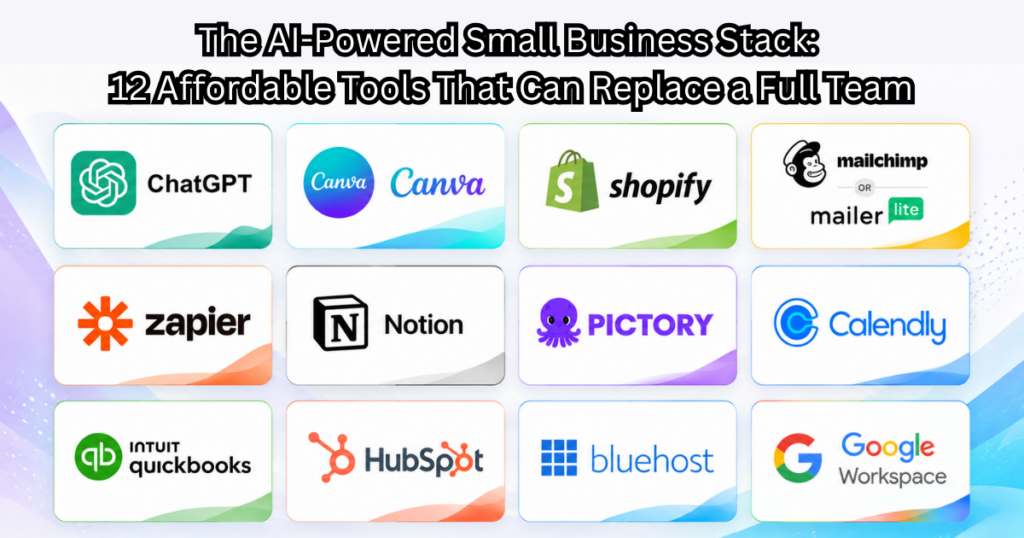
In the first Get My Biz Started ecosystem article, we discussed the five pillars of a modern small business: Website & Digital Headquarters Online Visibility & Marketing CRM & Customer Management Operations & Automation AI Productivity Tools Now let’s go deeper into the actual tools that small businesses can use to build these systems effectively. The goal is not to overwhelm businesses with software. The goal is to help founders choose tools that: are practical, scalable, beginner-friendly, and cost-effective. Pillar 1: Website & Digital Headquarters Your website is the center of your business ecosystem. It acts as: your storefront, lead generation system, content platform, and customer trust builder. Below are the most practical website platforms for small businesses today. Website Platform Comparison Platform Best For Pros Cons Approx Cost Shopify Ecommerce stores Easy setup, secure, integrated payments Monthly costs add up $39–$299/mo WordPress + Bluehost Service businesses & blogs Flexible, SEO-friendly, huge plugin ecosystem Slight learning curve $5–$25/mo hosting Webflow Design-focused brands Beautiful visual design, modern UI Less beginner-friendly $18–$49/mo Wix Beginners Very easy drag-and-drop Less scalable $16–$45/mo Recommended by Business Type Service Business Recommended: WordPress Webflow Why: better blogging, SEO flexibility, lead generation Ecommerce Business Recommended: Shopify Why: inventory,payments,shipping,checkout optimization. Content/Media Business Recommended: WordPress Why: blogging structure, SEO control, scalability. Essential Website Plugins & Tools SEO Tools Tool Best For Rank Math Advanced SEO Yoast SEO Beginner SEO Forms & Lead Capture Tool Best For WPForms Contact forms Gravity Forms Advanced workflows Pillar 2: Online Visibility & Marketing A website alone is not enough. Businesses must create ongoing visibility through: search engines, content, email, and social platforms. SEO & Keyword Research Tools Tool Best For Notes Semrush SEO professionals Powerful but expensive Ahrefs SEO & backlink research Excellent data Ubersuggest Small businesses Budget-friendly Email Marketing Platforms Platform Best For Pros Cons Mailchimp Beginners Easy automation Expensive as list grows MailerLite Small businesses Affordable, clean UI Fewer advanced features ConvertKit Creators & bloggers Excellent funnels Higher cost Social Media Scheduling Tools Tool Best For Buffer Simplicity Hootsuite Larger teams Later Instagram-heavy brands Pillar 3: CRM & Customer Management CRM systems help businesses organize: leads, prospects, clients, and follow-ups. This becomes the central database of the business. CRM Comparison Chart CRM Best For Pros Cons HubSpot Beginners & scaling businesses Excellent UI, strong automation Higher tiers costly Zoho Budget-conscious businesses Affordable ecosystem UI less polished Pipedrive Sales-focused teams Simple sales pipelines Limited marketing tools Recommended CRM by Business Stage Solo Founder Recommended: HubSpot Free Zoho CRM Small Team Recommended: HubSpot Starter Pipedrive Growing Company Recommended: Salesforce HubSpot Pro Pillar 4: Operations & Automation This is where businesses become efficient. Automation reduces repetitive work and allows businesses to scale. Automation Platforms Tool Best For Notes Zapier Beginners Largest integrations library Make Advanced automation More visual workflows Notion Internal systems Great operational dashboards Project Management Tools Tool Best For ClickUp Operations-heavy businesses Asana Team collaboration Trello Simplicity Invoicing & Accounting Tools Tool Best For QuickBooks Full accounting FreshBooks Service businesses Wave Free basic accounting Pillar 5: AI Productivity Tools AI tools now function like digital assistants for small businesses. They help with: content creation, marketing, research, automation, customer support. AI Tools Comparison Tool Best For Notes OpenAI / ChatGPT Writing, research, planning Most versatile Jasper Marketing copy Good for teams Canva AI graphics & social posts Very beginner-friendly Pictory AI video generation Blog-to-video workflows Recommended Small Business AI Stack Beginner Setup ChatGPT Canva MailerLite Zapier Simple and affordable Intermediate Setup ChatGPT HubSpot Make Canva Notion Better integrations and automation How These Tools Connect Together The most important principle is not simply choosing tools. It is ensuring they work together as one ecosystem. Example workflow: Website Form↓CRM Lead Capture↓Automated Email Sequence↓Consultation Booking↓Proposal / Invoice↓Project Management Workflow That is how modern small businesses operate efficiently. Final Thought: The advantage small businesses have today is unprecedented access to powerful systems. What once required: IT departments, marketing teams, and large operational budgets can now be implemented by even a solo founder using cloud tools and AI. The businesses that succeed over the next decade will not necessarily be the largest. They will be the ones that build the smartest systems early.
From Solo Founder to Smart Business: Building a Modern Small Business Ecosystem
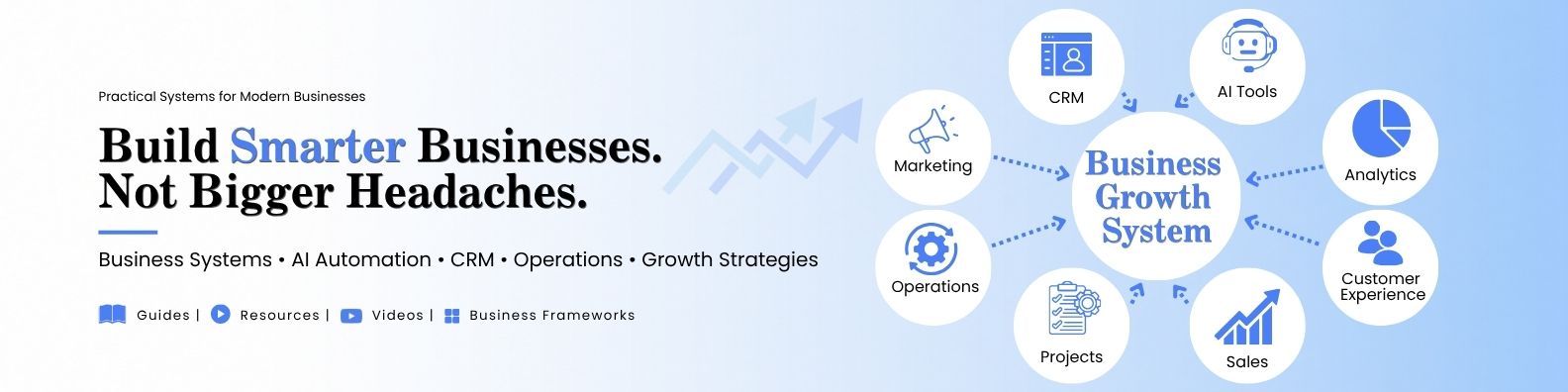
Most businesses begin with one person.One idea.One laptop.One person trying to do everything — product, marketing, customer support, finances, and operations. But the difference between businesses that struggle constantly and those that scale smoothly often comes down to one thing: The systems they put in place early. Today, thanks to cloud tools and AI, even a one-person business can build a smart ecosystem that previously only large companies could afford. The goal is simple: Build a business system that works for you — not one that traps you inside endless tasks.In this article, we will explore how a solo entrepreneur can set up a modern business foundation by connecting a few essential components: A professional website Online visibility and marketing Customer management systems Automation and AI tools Scalable operational workflows Think of it as building the digital infrastructure of your business. The 5 Pillars of a Modern Small Business Ecosystem 1. Your Website: The Digital Headquarters Your website is not just a brochure.It is your central business hub. It should allow customers to: understand your offering trust your brand contact or buy easily discover your content through search Modern tools make this easier than ever. Good options include: Shopify for product businesses WordPress + Bluehost for flexible websites Webflow for design-focused brands AI tools can now help with: website layout copywriting SEO optimization customer chat assistance The key idea is simple: Your website should be the center of your ecosystem. Everything else connects to it. 2. Online Visibility: Helping Customers Find You Many small businesses build websites……and then wait. But online visibility requires consistent signals to search engines and social platforms. The simplest approach today includes: SEO blog content Google Business profile YouTube or short video content social media distribution email newsletters AI tools now help create: blog drafts social media posts keyword ideas marketing copy The result is a steady stream of discovery rather than random spikes of traffic. 3. Customer Relationship Management (CRM) When businesses grow beyond a few customers, memory stops working.This is where CRM systems become powerful. A CRM helps track: leads customer conversations purchases follow-ups opportunities Popular options include: HubSpot Zoho CRM Salesforce (for larger operations) Even a simple CRM can help you move from: “Trying to remember everything” to “Running a structured sales process.” 4. Operational Systems A business runs on many small repeating tasks. Examples include: responding to customer inquiries sending invoices onboarding new clients managing inventory processing orders Modern tools allow these processes to run semi-automatically. Examples include: Zapier automation Airtable workflows Notion operations dashboards AI customer support bots The goal is to build repeatable systems that reduce manual effort. 5. AI as Your Digital Assistant One of the biggest advantages today is access to AI tools that can act like a team of assistants. AI can help with: writing content analyzing data generating marketing ideas customer support responses research and planning Instead of replacing humans, AI often acts as a productivity multiplier for small teams. For solo founders, it can feel like having a small digital staff working alongside you. The Big Shift: From Chaos to Systems Many small businesses fail not because their idea is bad.They struggle because the founder becomes overwhelmed with daily tasks. When you build a connected ecosystem of tools, something powerful happens. The business becomes: organized scalable less stressful to run You begin moving from: working in the business to designing the business.